Mine also changed without any action by me to the white background, I have now set it back.
1 Like
I know what happened now. I am sorry for all the confusion.
I was updating a theme today - there are 4 + a test theme. The Classic theme is the Default theme. I accidentally switched off making Classic the Default theme, which meant there was no specified default, so a default theme became available (this took me a while to figure out). The built-in Default theme has a white background.
5 Likes
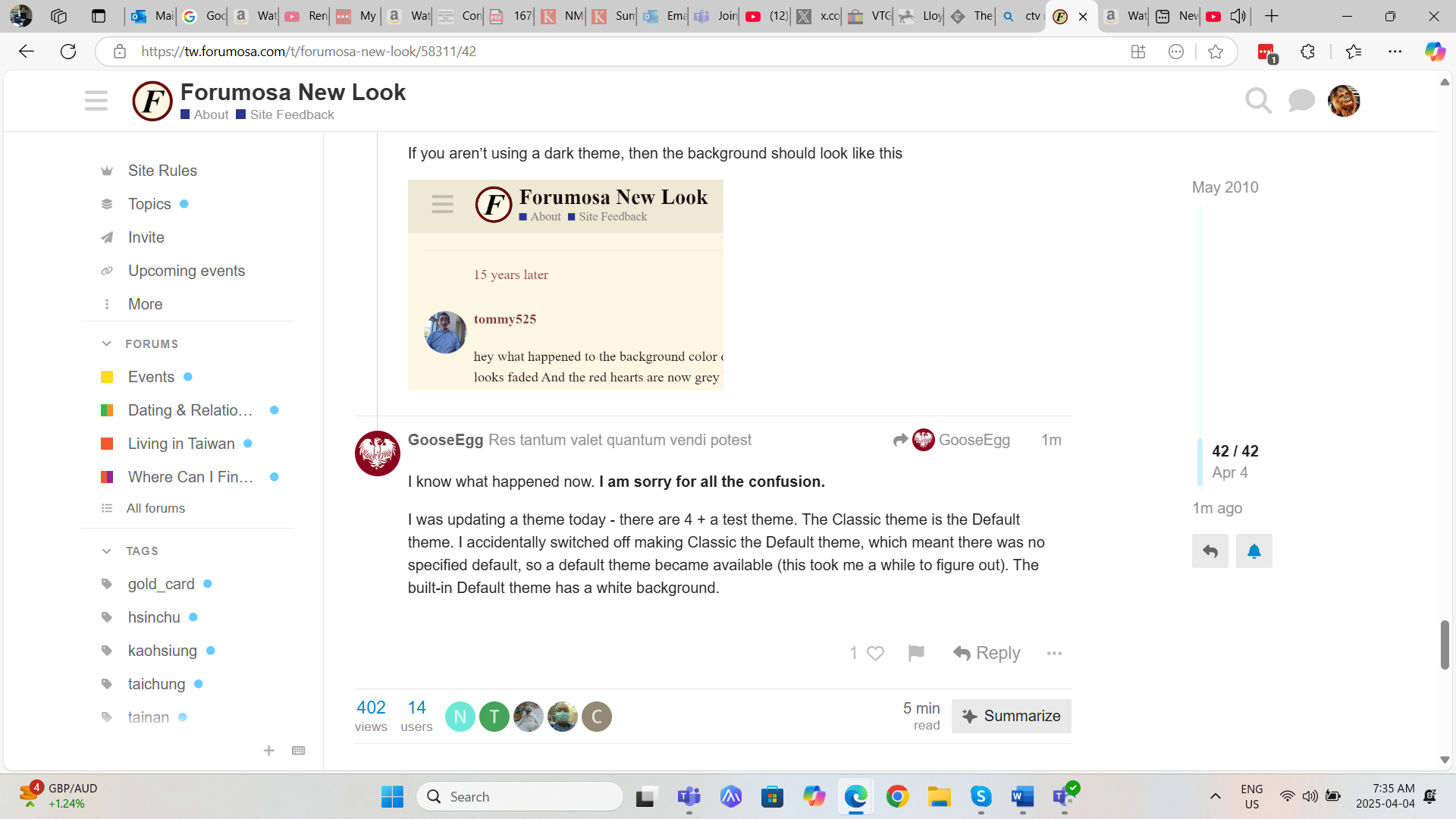
Right. This is my fault. At least I know what to be more careful about now
3 Likes
I found it in the drop-down menu only after using the drop-down to switch from phone to desktop view. Desktop view used it by default apparently, and it “stuck” when I switched back to phone view, (or maybe that’s all coincidental with it being fixed by @GooseEgg. 
1 Like
i am obviously as dum as the proverbial rock cuz i can’t see it either on the phone
Which step are you stuck at?
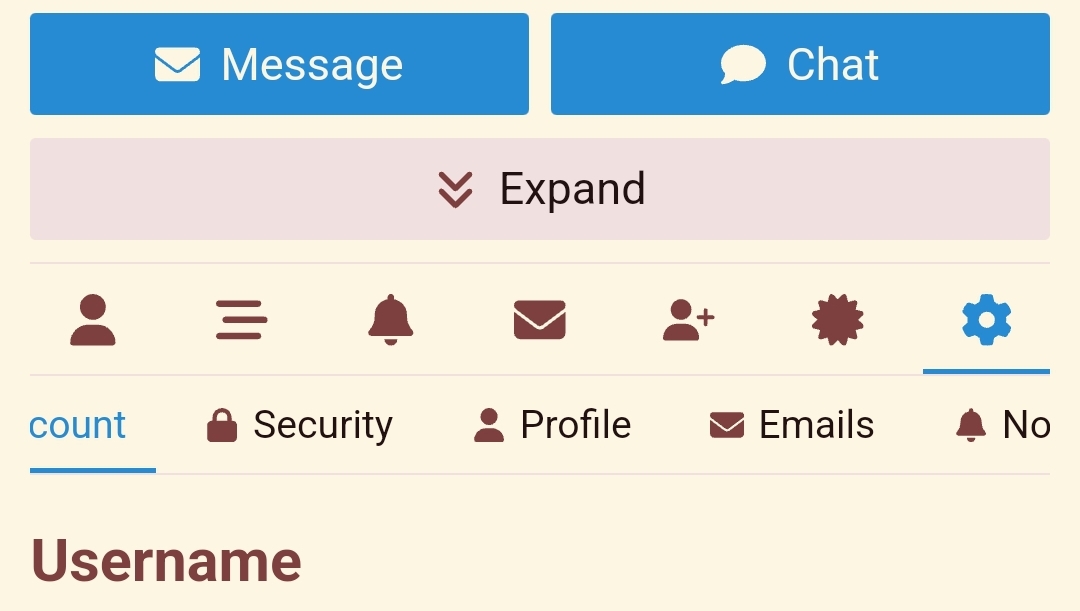
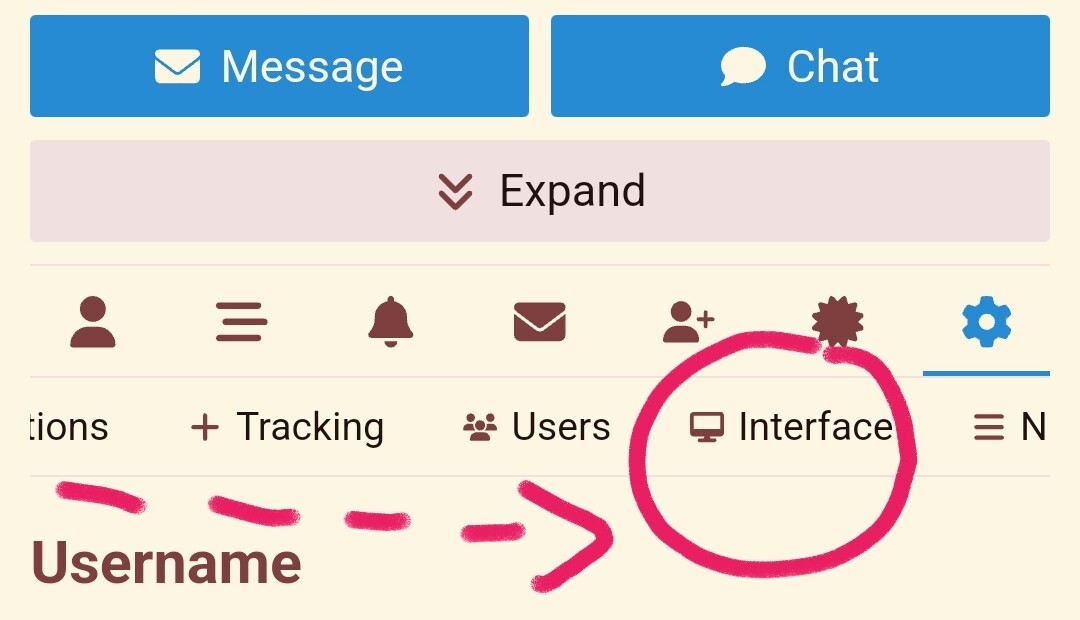
You need to scroll a bit down or up to summon the icon with your avatar in the upper right corner, click it, it will open the bell tab with notifications, but you need to click the last one with the icon of a human, from there click preferences (second last) and under the big version of your avatar picture (or letter like me) you will see a horizontal row starting with “Account, Security, Profile…” so put your finger on the “Account” text and move your finger to the left until you see “Interface”.
Click the “Interface” and click the drop down menu called “Theme” and choose “Classic”.
Then scroll down and click on “Save Changes”.
(Steps for the web browser, did it in Chrome.)
2 Likes
Not a dum question in any way. We just haven’t explained yet anywhere in this website that in mobile you can access other features by SWIPING THE MENU TO THE LEFT (i.e. off screen)

1 Like
 Add me to the Not Worthy list!
Man, what a UI flaw that is!
Thank you @BrownBeard - you win the Intarwebs! 
1 Like
Something weird is happening with the ads.
I couldn’t read it either, so I had to highlight it to see what it said.
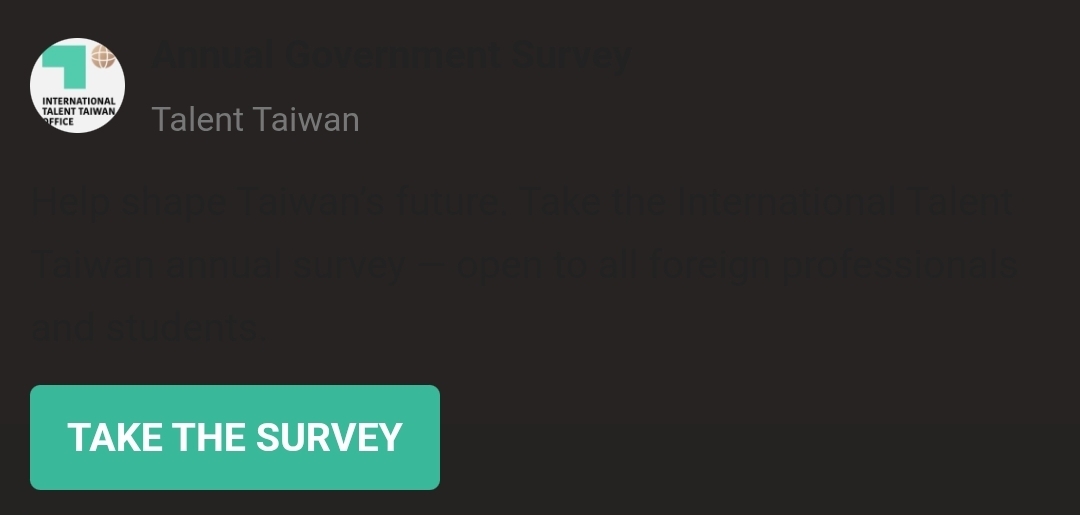
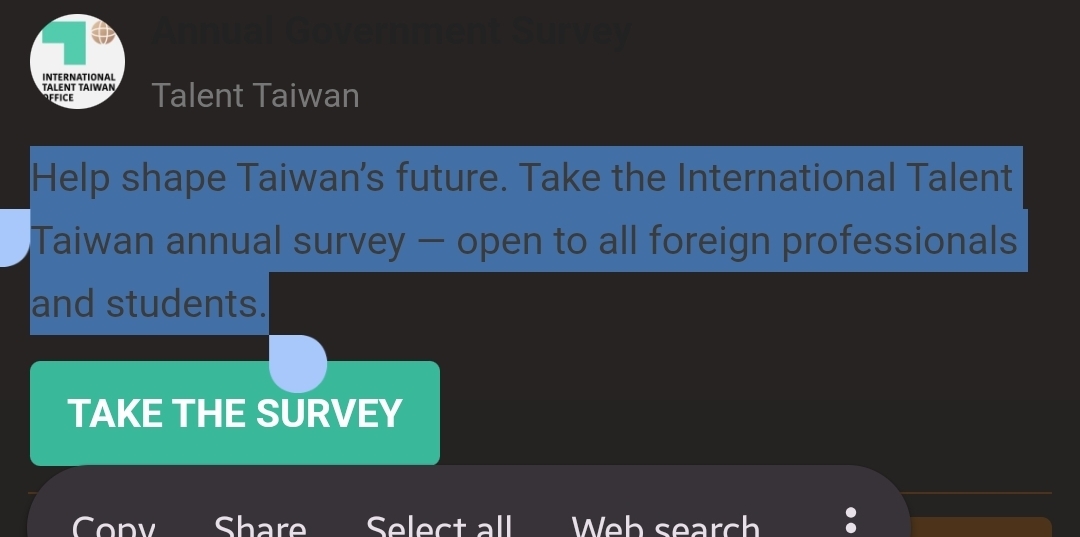
I noticed it with the Talent Taiwan banner, but maybe it’s happening with others too
1 Like
I am sorry about this. I had added that new Native Ad entirely on my phone - from the generation of the HTML Code in ChatGPT to the placement in the ad rotation system in Discourse.
ChatGPT did not use the same formatting that I used in the past. It pretty much winged it. It was pretty close, but details like the compatibility to the light and dark themes were adjustments that it missed.
Since I was on the move when I did it, I did not check things out thoroughly. I have updated the code now, so please let me know if you still have trouble with those ads
4 Likes