Header section on Forumosa

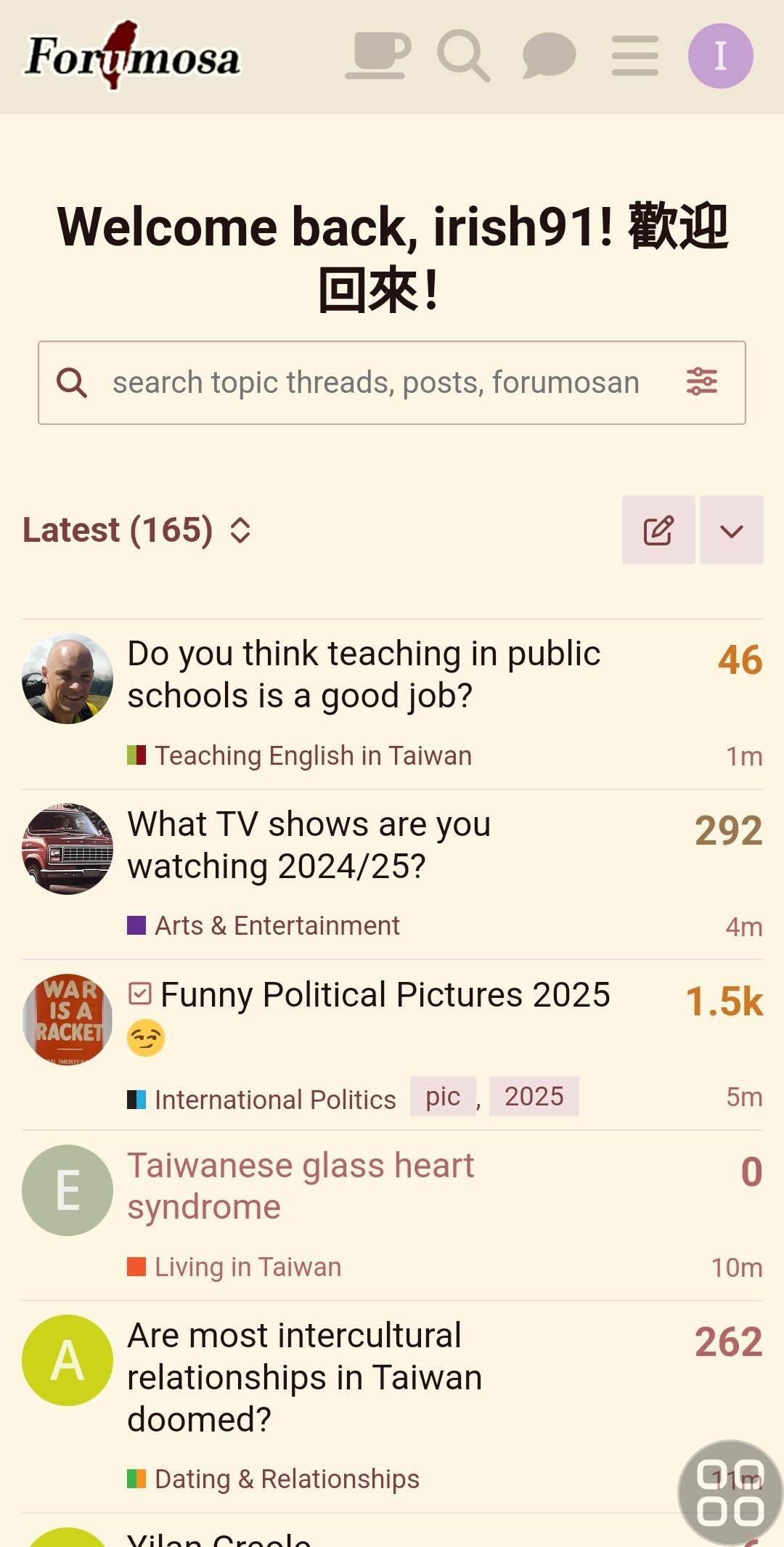
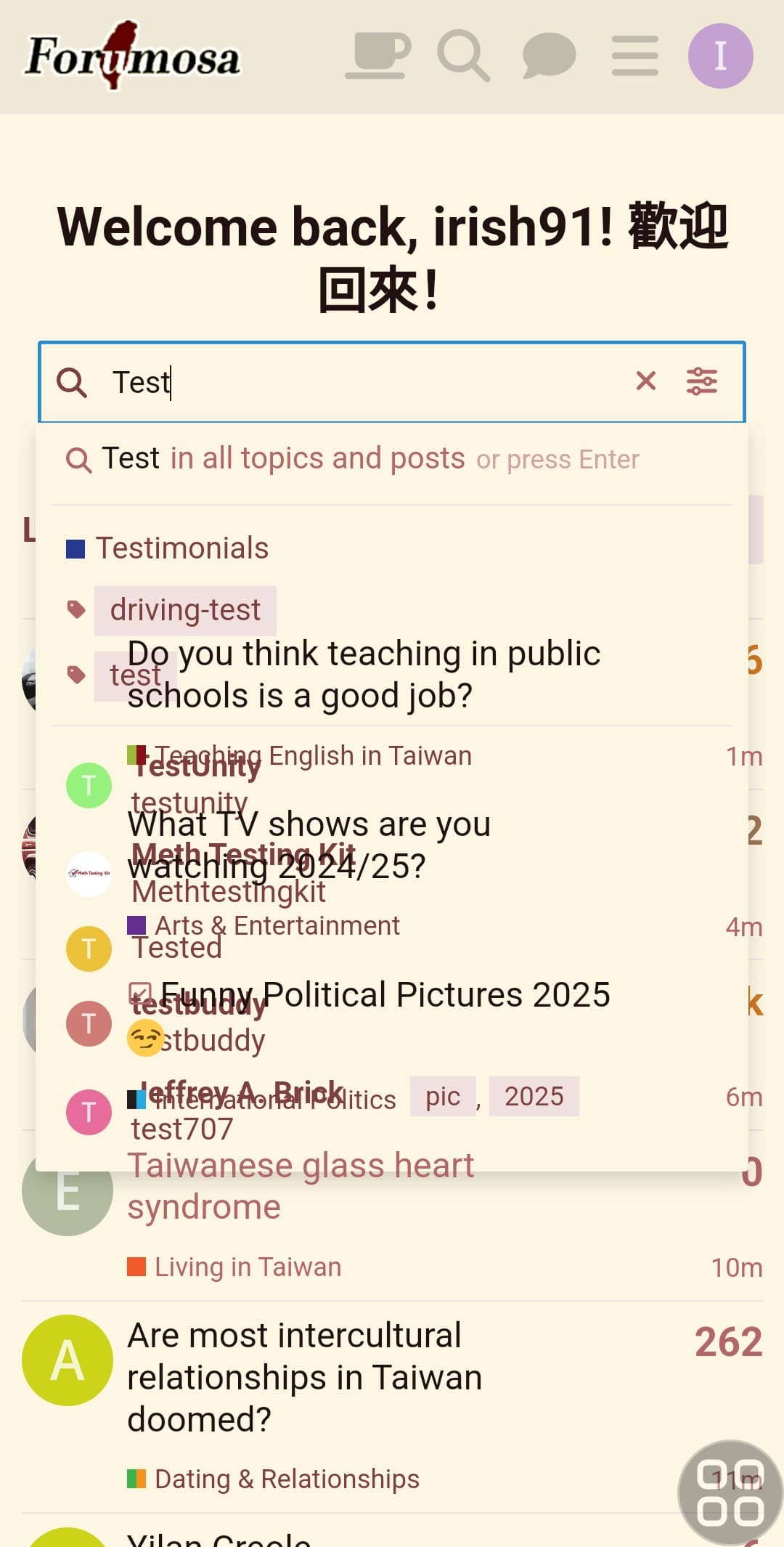
Hey, everytime I visit Formosa (on android) it shows quite a large header that takes up alot of mobile screen real estate and a search function that is not really useable as the background is transparent.

How do i remove both? For the search just using the search icon on the nav bar is fine.

@admins


2 Likes

I don’t think there is any way to remove either of them.

1 Like

The transparent search background should be fixable, tho.

I blocked that header, it’s so annoying. Probably doable on mobile too.

Yeah, I’d prefer it not to be there too, or at least to be much smaller. I’ve been finding it slightly irritating.

@GooseEgg @tempogain

1 Like

Can it be changed to “You’ve returned… :roll_eyes:

Thank you for reporting this. I notice the problem persists across different themes (Classic, Dark, etc)

Do you mean like:

volv1992, you’re back??! 你 WTF 怎麼會在這裡?

3 Likes

“Welcome back…” I think is fine if you have haven’t visited for a few weeks/months, but every single time you visit the site, even within minutes is abit much (it’s just in my opinion).

Even just make the margin-top and the font much much smaller.

3 Likes

I’ve posted about this issue here. Let’s see if there is an uncomplicated solution that is suggested

1 Like

I would’ve gone with

Crawling back to this dump again eh? You masochist!

1 Like

And looks stupid to just have “回來!” alone on second line.
Put 歡迎 also on second line.

Bad idea. I’m pretty sure that’s determined by the wrapping and dependent on the screen/window width and text size.

So having a hard line break would just make the thing even more annoying for any configurations where it currently fits on a single line (like my desktop). If it has to be there, I’d prefer it to take up less space, not more…
1 Like

Then get rid of “Welcome Back,”

I wouldn’t object to that decision personally!

I’d also be okay with getting rid of the “Andrew!” and “歡迎回來!” parts… (at least for frequent visitors, as mentioned above)

1 Like

I think the welcome back message is funny, I like it.

I have added to all the themes the CSS to fix the dropdown transparency. Please post here if is still doesn’t seem to work when you use the dropdown

3 Likes

CSS is the work of the devil, be sure to treat yourself if the change is successful and hsn’t caused other controls spuriously to change location