Hi Forumosans! We have seen a lot of posts here over the years about learning Chinese, and they inspired us to make something that can help all learners for free.
If you like sites like Hack Chinese, Du Chinese, and The Chairman’s Bao, but don’t love how much they cost, we’ve got a gift for you: Manda Chinese.
Manda is a free, all-in-one platform that takes the most useful Chinese learning features and puts them all into a single, web-based platform.
The core of Manda is the interactive reader, which allows you to paste your own text, and upload SRT (subtitle) or EPUB (ebook) files:

After you’ve added your text, you get a highly-customizable, interactive reader:
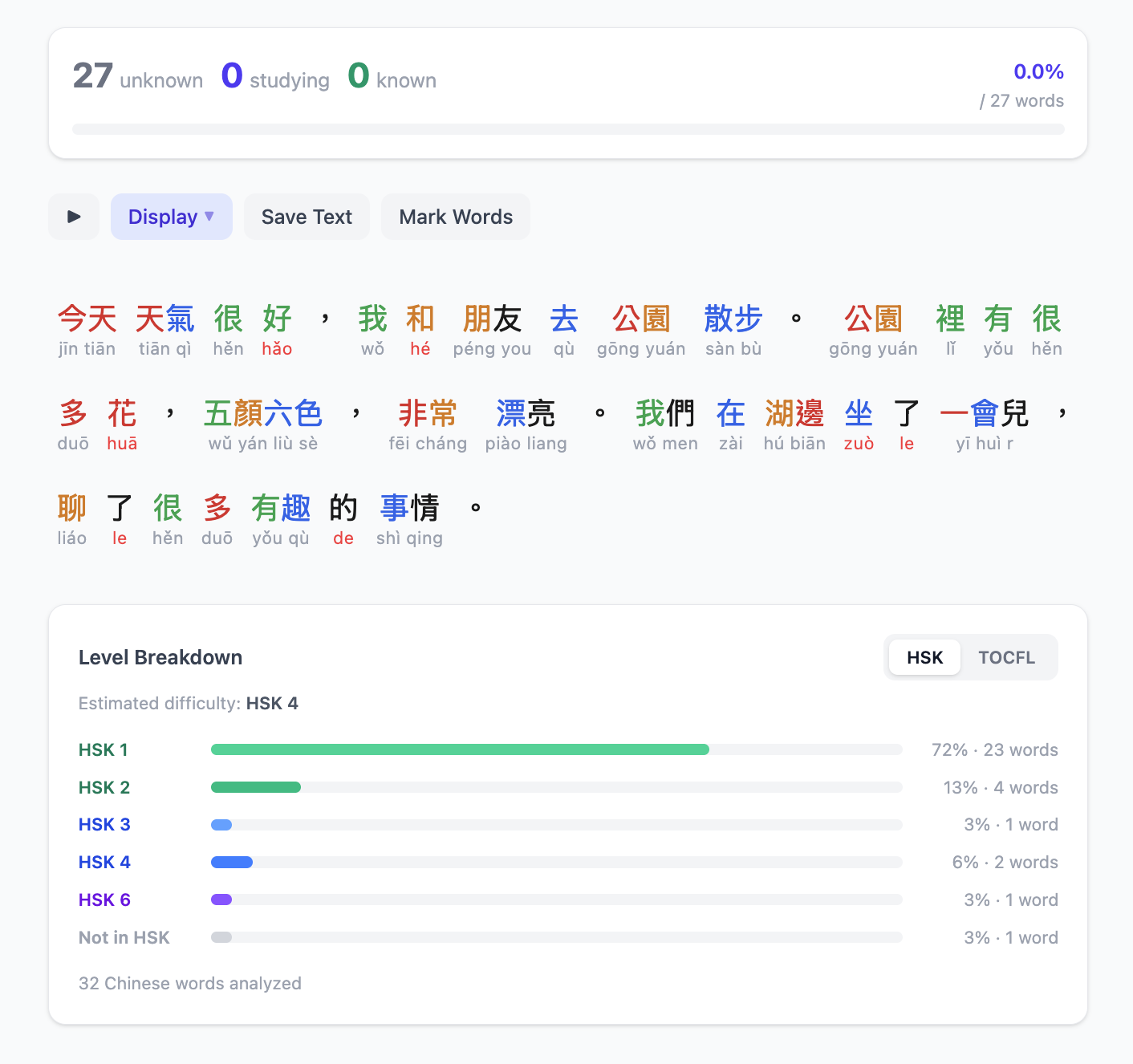
On the reader, you can customize your experience by:
- Enabling/disabling Pinyin (or enable Smart Pinyin)
- Enabling/disabling highlighting of words in your saved lists
- Enabling/disabling translations
- Enabling/disabling tone colors
- Changing fonts (many to choose from)
- Switching the tone style from tone marks to numbers
- Switching between Simplified and Traditional characters

You can click on any word in the reader to get the definition, and HSK/TOCFL level:

From here you can also add the word to your Study List, or add it to Known Words.
The entire text can also be saved, and will show up on your Saved Texts page, so you can revisit it any time:

If you don’t have your own texts to read, or just want to explore something new, AI generated (but checked by native speakers) articles are available:
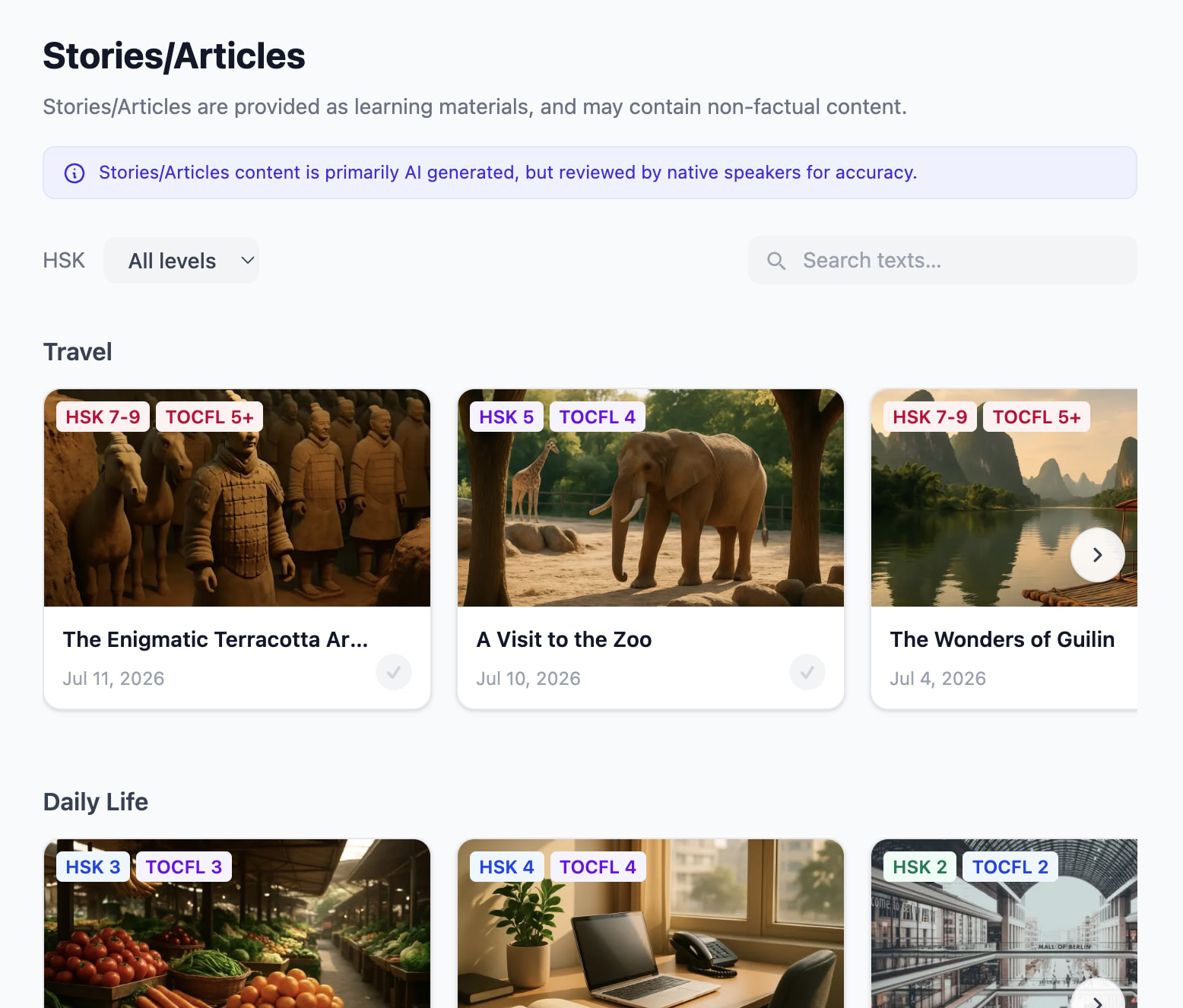
We even have a limited (but growing) selection of news articles:

A recent addition to the site is our Books library:

Any words you add to your Study List, either through reading or through other parts of the platform, are added to the SM-2-like spaced repetition system:

Detailed SRS stats are available for every word you are studying:

Anki fans will be happy to hear the SRS system is very similar to Anki’s, even in terms of customization:

Currently there are two main study types that count towards SRS reviews, Flashcards and Cloze:


Reading isn’t the only way to add new words to study though, you can also directly add words from our words lists, including:
- HSK (3.0 standard) levels 1 through 9
- TOCFL levels 1 through 5
- Hundreds of theme related word lists, such as dog breeds, foods, hair cuts, etc.
Any word you find throughout the app has it’s own dictionary page, and you can add words to your Study List or Known Words list from here too:

Of course you can also search the dictionary directly:

And if you don’t know how to type the character, you can write it out directly in the app too:

If you already know you want to learn a specific HSK or TOCFL level, you can also use our learning paths, which introduce new words 10 at a time:

We also have an excellent Chengyu Database, probably the most complete of any English-language Chengyu dictionary, with over 1000 entries.

On Manda, accounts are 100% optional, but if you need to sync between devices, you can sign-up for a free account:

You are always in control of your own data, so you can export at any time in various formats, including Anki decks:

There is a desktop version too, which allows you to take the whole platform offline, but it isn’t free so we don’t want to advertise that here.
An Android app is coming very soon (which will support offline), for now you can install the site as a PWA app instead.
Get started today at mandachinese.com


