For the love of GOD!
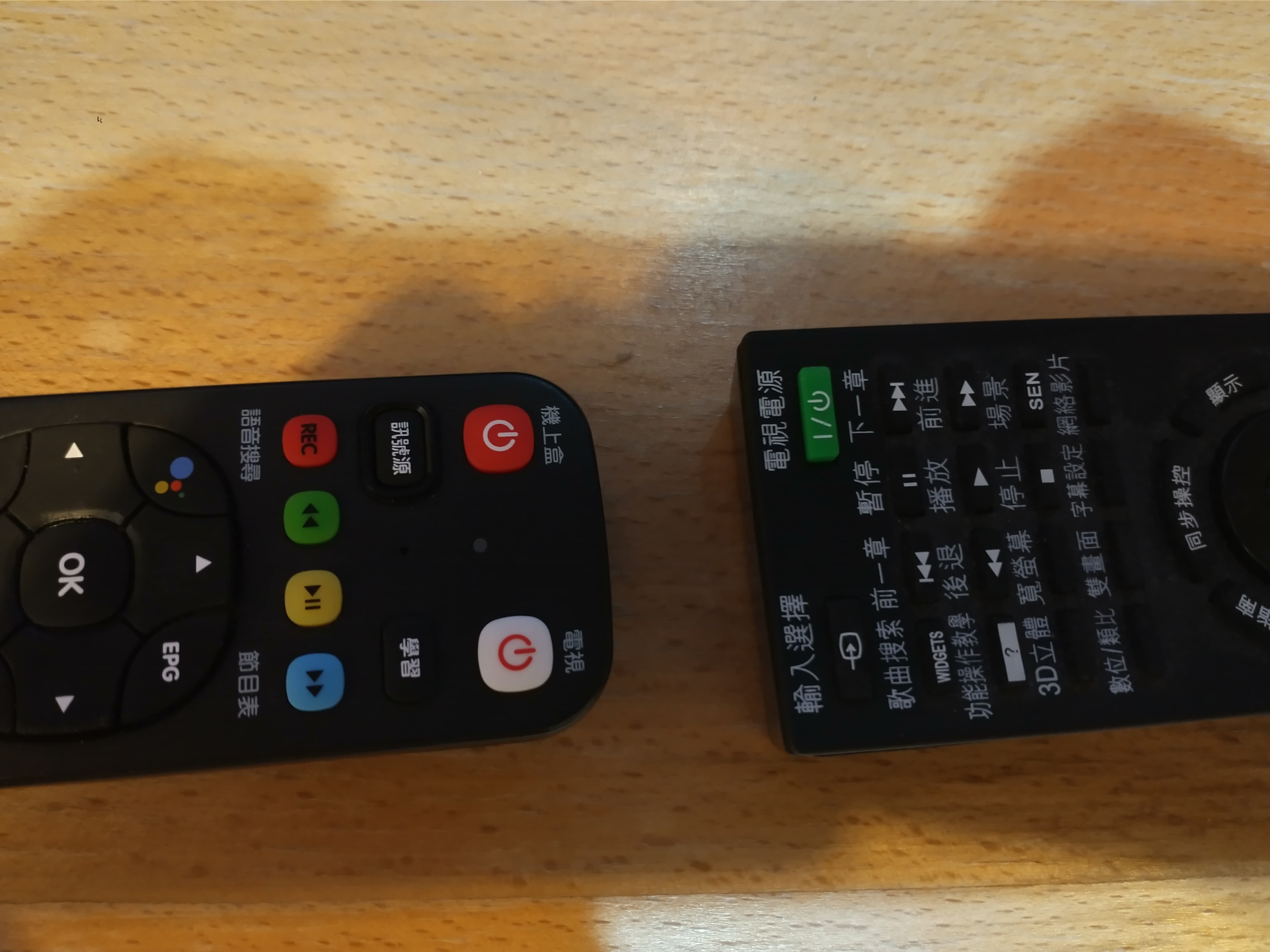
Can someone guide me on how to memorize the on/off button?
2 Likes
I’d go with “Set top box” being 3 words and 3 Chinese characters.
“TV” 2 letters and 2 Chinese characters
Haha, mine also has about 3 on off buttons and two Home buttons and 2 source buttons and 4 channel change buttons between them.
On an Android Phone, I find “Google Lens” to be great for translating such things on the spot.
But also “red for Stop (turn off)”, press it again to turn on - and hope to hell you got the right red button!!
The red and white one with the circle and line

And if anybody need to reset the remote to factory default… this is for KBRO remote.
⊙The way to reset the remote control:
- Press “OK” and “Red button” at the same time, the upper indicator light will flash twice.
- Enter the number 980.
- Press “Learn”.
- The remote control returns to the original factory settings.
⊙Linkage function setting method
- Press the “learning button” for 5 seconds. The light will flash twice
- Connect the remote control head to head.
- Press the button you want to “link”, and at the same time press the button on the other remote control that only needs to be linked.
- Press the “Learning button” again
- The setting is complete.
1 Like