Will do tonight
Also let me know what this page says for you on that computer
or this

1 Like
lotta bugs and issues:
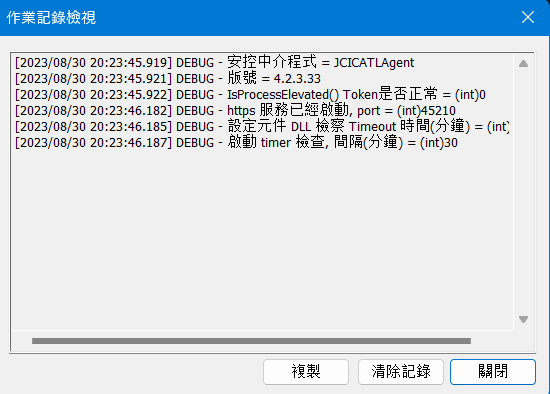
have no clue of what that means
But the tool HICOS itself says that my equipment all works well
1 Like
It’s a stupid idea and a stupid tool from a stupid government who can’t get anything right…
Again… I used my drivers license to sign up for a NZ realme account all online. No need for a stupid digital card. No problem about a faulty ID number for non citizens… No need for a stupid card reader either…
1 Like
That’s a bit rude. Let’s see your fancy New Zealand government create a website that can generate six errors in only 300 milliseconds. 
4 Likes
The one thing I would advocate for is making them implement a unique drivers license number (special to only Taiwanese living in NZ) that doesn’t work for any (or at least most) online forms.
After that we can talk about “reciprocity” which is a word the Taiwanese government likes to throw around when they deny disabled long term non citizen permanent residents disability placards… While other “reciprocal” countries even let Taiwanese tourists use the Taiwanese cards on their rental cars…
5 Likes
Sorry to bother mate, can u tell me how to fix the thing? Danke!
DNSSEC issue is not relevant to you as your DNS resolver does not use it.
Can you open the debugging log. Then open the website and try to login.
The debug window will have a lot of text, but that does not mean anything is wrong.
If your login fails for some reason, then go back to the debug window and use the button to copy the text. Then send me a PM with the whole debug log to look at (it should be quite long).
The previous picture of the debug log just shows it loading up.
Basically how it works is:
The website sends a request to the certificate software running on your PC like a local webserver. It will use your certificate on the card after putting in your card pin to sign a challenge adding your verified personal information to it. Then the website knows it is you and lets you login, etc.
If you use adblocker or any other extension that might interfere, then try to deactivate it on jcic.org.tw website.
2 Likes
will try tonight, dankeschon!
1 Like
@slawa this is what it shows when I try to launch the thing:
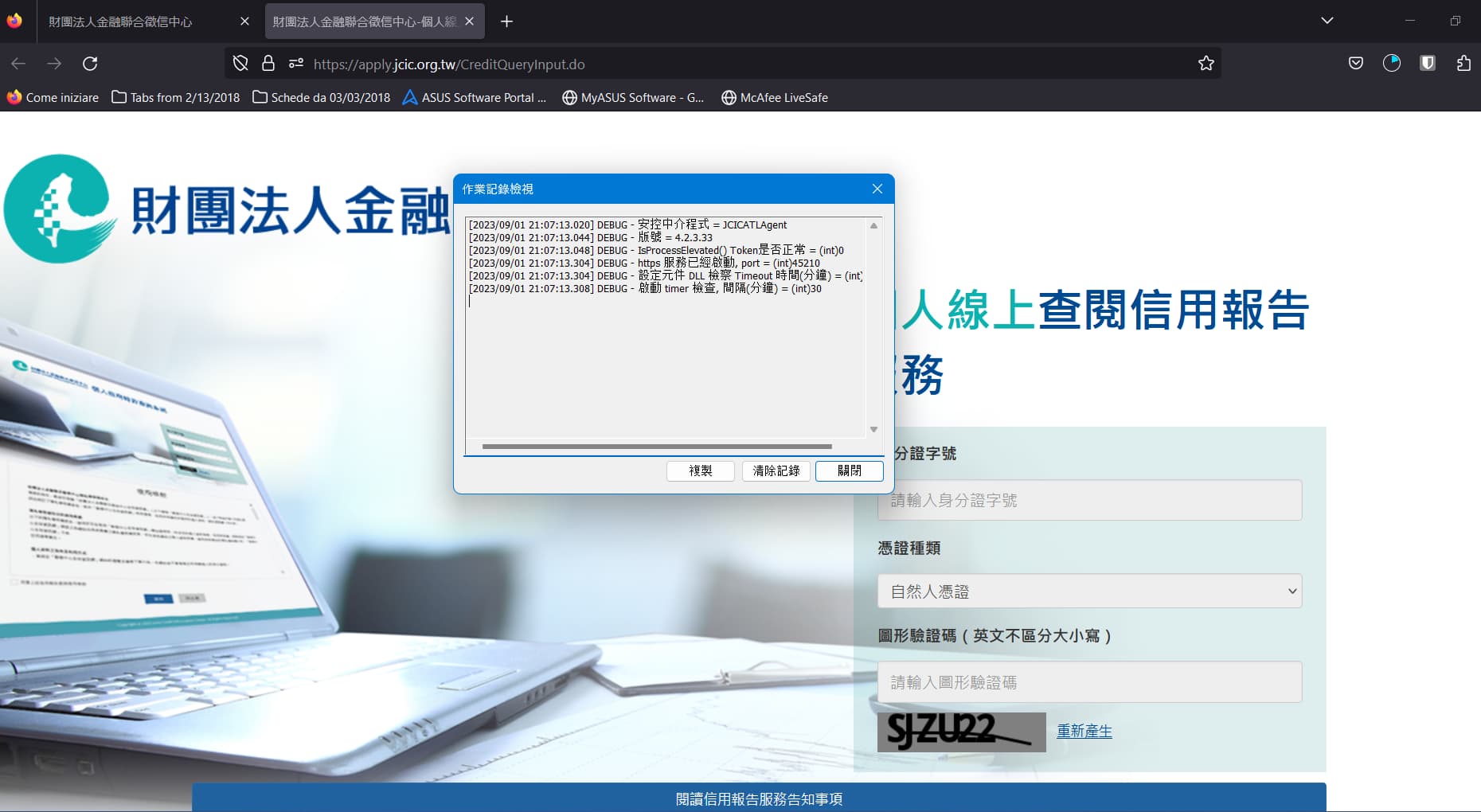
then when it fails it just autolaunches the download for the middleware.
The writings don’t change in the middleware window
Lemme know man if u need anything else, still stuck @slawa
If the website starts the download, that means the website failed to connect to the local certificate software.
It could be several issues.
Antivirus/Firewall software interfering. Browser Plugins interfering.
Also could try uninstall the certificate software and reboot, then reinstall.
I am on holiday this week and not on here much.
3 Likes
Through troubleshooting I found that I had to change my systems language to Traditional Chinese and locale to Taiwan
2 Likes
Uhm, but I didn’t change anything since last time, and it always worked …
1 Like
I applied for my Alien Citizen Digital Certificate (ACDC) at the end of last month (May 2024) and paid for it online at the beginning of this month (June 2024). No issues making payment. I received it mid-June 2024 and finally had time to try and use the NFC function to register and bind the ACDC with my phone.
Unfortunately, as per the TW FidO user guide, you need to have an ACDC with a certificate serial number starting with TP07. I’ve been issued with one that has a certificate serial number starting with TP06.
I’ve emailed cse@moica.nat.gov.tw in both English and Mandarin (with the help of a translator app) this morning and awaiting their feedback. I’ve requested a replacement card FOC because I’m not aware of having the option to inform the NIA staff that you need a card with NFC functionality so that they apply for one for you or that you need to inform them in advance. I believe they only verify your identity and provide you with a subscriber code which you then use to make payment.
I cannot use the QR code to register and bind either as that seems to be only provided to Taiwanese citizens who apply for their card at the household registration office. Upon completion of their application, they are provided with a QR code to scan but that doesn’t seem to exist for aliens. We’re just given a piece of paper with the subscriber code.
I want the NFC functionality so that I can use my ‘new’ phone which I purposely purchased with NFC capability to connect to the TW FidO app for authentication and then later use the MyData website (or app if there’s one) to obtain my data.
Hopefully, I might be able to use it to do my taxes next year without the need for a card reader as I don’t own the latter but that’s wishful thinking. I hope it’s in the development pipeline.
2 Likes
Interesting that they have NFC option now. Looks like you have to request it during application.
Since you have a card without NFC you need to use it the old fashioned way:
Once you get the Alien Citizen Digital Certificate, you have to activate it using a card reader.
MOICA內政部憑證管理中心-憑證IC卡檢測重寫
I was able to verify myself on the app with the FIDO website.
Try to follow this guide: Using your Alien Citizen Digital Certificate to Validate the FIDO app | Translating Taiwan 台灣翻版
1 Like
I only applied for the ACDC because of the NFC feature, yet it is not available to foreigners. I do not have a card reader and do not wish to be forced to purchase one to access government services. This is the response from MOICA:
您好!
外來人口憑證的卡號皆為TP06開頭,就像外來人口的居留證號第二碼數字為8或9是一樣的意思,因此無法為您更換為TP07開頭的卡片。但您可使用另一種方式註冊綁定行動自然人憑證,說明如下:
已持有自然人憑證IC卡,註冊綁定行動自然人憑證有二種方式,一種是NFC靠卡,另一種是至行動自然人憑證官網 登入 -中華民國內政部行動自然人憑證系統 使用可上網的電腦及讀卡機及自然人憑證IC卡註冊會員並掃QRcode綁定行動裝置。建議您使用第二種方式即可申請行動自然人憑證。
內政部憑證管理中心 敬啟
Machine translation:
Hello!
The card numbers of the foreign population certificates all start with TP06 , which means the same as the second digit of the residence permit number of the foreign population is 8 or 9 , so we cannot replace it with a card starting with TP07 . However, you can use another method to register and bind mobile natural person credentials, as explained below:
If you already hold a natural person certificate IC card, there are two ways to register and bind the mobile natural person certificate. One is to rely on the NFC card, and the other is to go to the official mobile natural person certificate website https://fido.moi.gov.tw/pt/main /login Use a computer with Internet access, a card reader and a natural person’s IC card to register as a member and scan the QRcode to bind your mobile device. It is recommended that you use the second method to apply for a mobile natural person certificate.
Sincerely, the Credential Management Center of the Ministry of Interior
I’ve looked at the MOICA website and I cannot see anywhere where it says the above in English and a quick search for NFC on the Mandarin version doesn’t bring up any results. This is unfortunate that foreigners cannot access this service.
Is this in your remit @au? Is there any solution for foreigners to use an NFC-Alien Citizen Digital Certificate in the near future please? Thank you in advance.
2 Likes
It’s amazing that they’ve found another numerical way to make things unnecessarily difficult for foreigners. We’ve already got our different ARC numbers to balls everything up — couldn’t the government just have left it at that without deliberately looking for new ways to discriminate and make discrimination easier? 
3 Likes
Hi folks!
Plan to apply for my ACDC before I leave Taiwan in a few days. Reason: I cannot file taxes in person as my employer hasn’t prepared my tax withholding statements, and don’t have an NHI, so ACDC seems like the best way for me to eFile in May 2025.
My question is: I’ve left this too late unfortunately, so will have vacated the address in my ARC by the time it’s shipped. I’m hoping to have it sent to a friend who will visit my country soon. Has anyone else been in this situation and successfully managed to receive the card this way?
You’d probably want to ask at immigration and/or MOICA whether it can be sent to a different address besides the one listed on your ARC.
Either way, IIRC it’s sent by registered mail, so I’m not sure what the deal is with picking up registered mail addressed to another person. For me that always means going to the post office with the attempted delivery slip and showing my ARC.