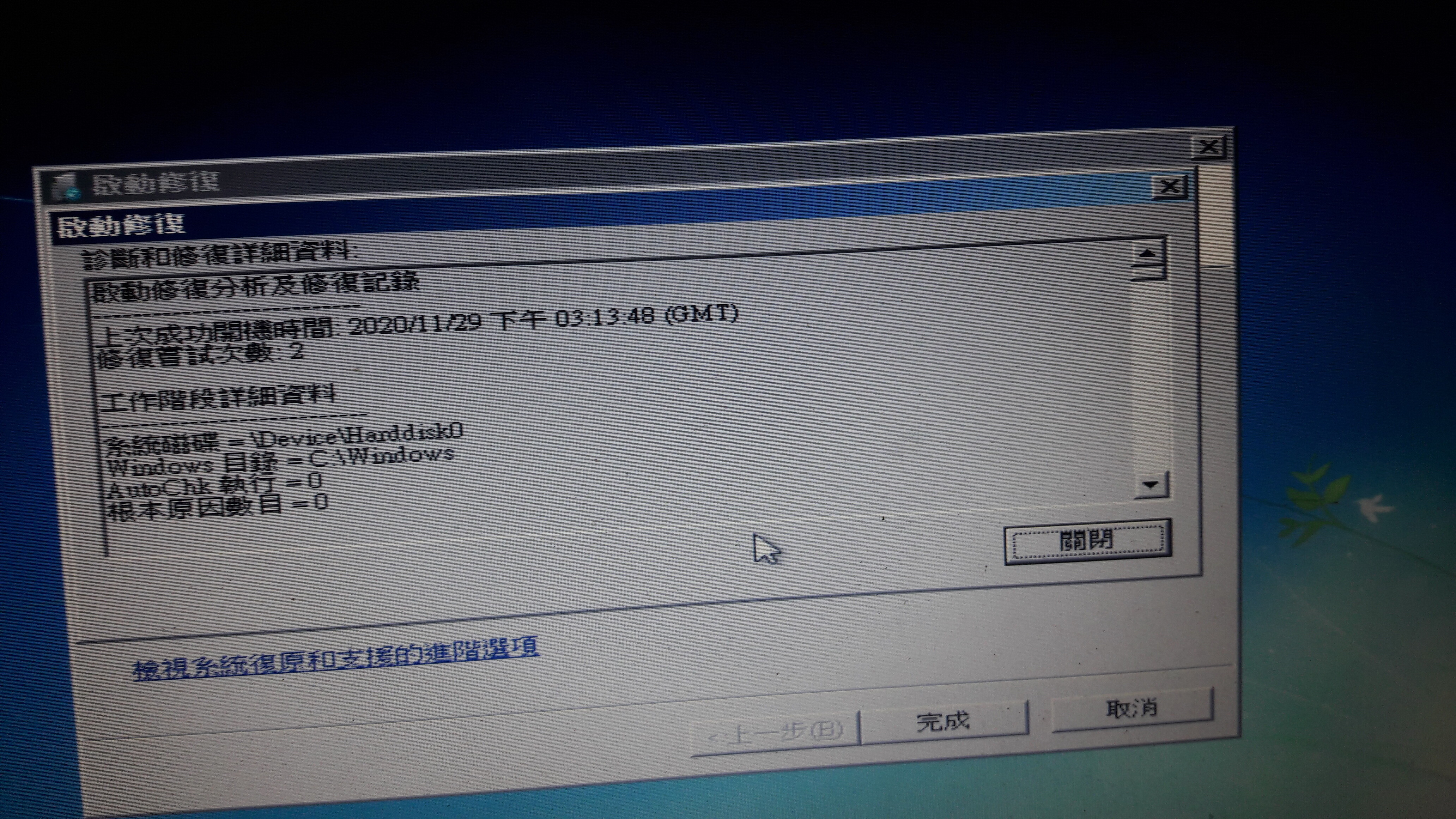
Anyone well versed in computer? My buisness computer decided to do this. I googled the codes and seems maybe a driver issue. They sugested opening in safe mode, but i cant.
Any suggestions?
It does this upon startup every time?
There’s a million reason why it’s doing this. If these errors are happening at random then it’s a hardware issue, most likely because the PSU is inadequate. You get random BSOD that goes away as soon as you replace the PSU for something better.
If it’s a laptop, then who knows.
But if it was working fine before and it suddenly started doing this or other random (non reproducable) errors, then it could be a hardware problem.
This is assuming you didn’t get a virus or something that corrupted a system file or you didn’t do some weird stuff with the registry or delete a system file.
I concur. Most likely hardware - possibly a failing PSU, but more likely some fault on the motherboard. If you have a spare PSU hanging around it would be worth trying. You might also want to pop out the memory modules and re-insert them; on several PCs in the past, I’ve found that the socket contact degrades in some manner over some years, enough to introduce signal integrity issues.
What do you mean you can’t start in Safe Mode? It looks like you already did.
Your best bet is to start up into a command prompt and get all your important files off there. Then you can tinker.
If you have a basic video driver built into the motherboard itself (many of them do), pull out the power cables from your video card and swap the monitor cable over to the motherboard video output (the BIOS should auto-detect that). Also disconnect the power from any HDDs other than the system disk. If the system then boots, it points to a PSU problem.
It’s possible a virus corrupted a system file too. A clean install would fix that.
But it’s not likely because viruses and malware mostly just steals personal information or locks important file for a ransom. Corrupting system files would run counter to that.
So I’m leaning towards hardware problem.
Cheers guys. Im going to spend tonight googlong what all those terms mean.
I should have clarified. This is an Asus laptop, using windows 7.
This just happened last night all of a sudden when we went to watch a movie. When we started, we got these screens.
It has been quirky for awhile, but mostly just lags and such.
I would prefer not to reset it as our last backup was 2 weeks ago and we have a solid 50 or 60 hours of research records that were not backed up  i know…if not for work data, i dont mind just replacing it…but ya, damnit.

Sucks to be you
Well, I’m willing to bet it’s a hardware issue. The lag is clue to this.
It may be a blown cap somewhere, if so someone in the Guanhua underground can probably fix it.
maybe something overheated and broke, some bad chip somewhere, bad voltage regulator, etc.
Something like this happening all of a sudden is definitely hardware. If it’s your data you’re so concerned about take out the hard drive and copy it elsewhere. Unless it’s one of those SSD soldered onto the motherboard.
@bree dont make me cry
@Taiwan_Luthiers if its convenient could you help me type the chinese for this term “Guanhua underground”. This stuff is above my pay grade.
But ya, just all of a sudden. The computer lags lots, but i am mostly just using word, excell, notepad and firefox. not a heavy computer user so i dont really care much about lag. I also notice firefox slows down the computer HEAPs when things like excell are open. I often need to cntr alt delete to make it run normally as firefox opens like 6 things. Perhaps still a virus thing?
My only worry is being able to backup some folders, saving the unit isnt a priority.
For starters, cut out the porn on the work compy, OP smdh
How did you watch the movie? Was it a DVD or what?
Believe it or not, but no porn on this computer. Have other computers for that ahah. This one literally is strictly simple stuff like data sheets, word docs, note pad txt etc. Plus emails through firefox and we save pics from camera. Thats about it.
Perhaps another thing worth mentioning, we travel around taiwan a LOT on business and take this computer. lots of vibrations and shaking froms thousands of km a month travel. We pad it well, but still must bump a bit. we just had a long stretch in the north driving around… Another case for hardware issue maybe?
I know I’m just roasting you salad fingers.
How old is this computer? Windows 7 seems to tell me it’s more than 5 years old.
Guanhua underground is this place that is behind the Mega Bank building at Zhongshao Xinseng exit 1, and there’s a walkway into it. It’s an underground plaza full of computer and electronic stores, but also people fixing cell phones and general surface mounted electronics repair. Marco is familiar with this and maybe he can even help you fix it.
If it’s just a virus then a clean install will fix it. All you need to do to back it up is take out the hard drive inside the laptop and get one of those 2.5 inch harddrive to USB things and connect it to another computer. I don’t know if your laptop uses 2.5 harddrive or mSata SSD’s.
If it’s soldered on like current macbook pro then not much you can do except get a data recovery guy to get it out.
Ahh, i see. I will bust out the screw driver tomorrow before beer o’clock commences haha. I am in the far south in farmer land, next time going north will be a month or 2 so not sure we can wait for that trip to visit that district.
Appreciate all the advice, will be reading up on this tonight and tomorrow night. I am honestly VERY ignorant about computers s o probably literally as useful fixing them as salad fingers is using a screw driver…in the end we both end up murdering something and waking up the next day in a haze haha
If you don’t know much about computers, the quickest thing to do is take a trip to GuangHua computer market, the data on your hard drive should be easy for them to access and they might try some things like booting of an eternal drive and doing diagnostics.
edit/ unless the hard drive has packed up, in which case the good news is the computer is probably fine.
So you think the computer is fried or the hard drive is fried.
I would really try hard to avoid going to taipei as we are insanely busy this month in production, its a 8 or 9 hour drive each way. But will do it if that market is really the best bet. By chance are there any places down south? I have some trips planned to tainan and kaohsiung in 2 to 3 weeks, any good places there?
You can use any computer repair shop, no need to come to Taipei. First thing they will do is pull out your hard drive and plug it in as an external drive to another computer, it’s pretty easy to do, but then again you say you are not really all that with computers. But that would allow you to retrieve your data or find out if the hard drive was the problem.
Post the output of chkdsk /a ?
I’m no expert on Windows, but that might throw up something someone here can diagnose…
Blue screen means windows is not loading which means you cant run chkdsk.
It may be possible to enter a safe mode or boot from an eternal drive by fiddling around with the bios, but the computer is in chinese which is going to make the process more difficult if the OP can’t read chinese. Hence take it to a local repair shop is still the best option.